 PCB Standalone
From Gerber files to a milled PCB on your desktop CNC
PCB Standalone reads the Gerber and drill files, builds isolation, drilling, large hole and board outline programs, probes the copper surface and runs the programs one by one on a 3018 or a similar machine. Every step at the machine is shown on a render of the machine itself.
Windows 10/11; macOS and Linux with the first release · interface in English, Ukrainian, German, Chinese and Turkish
Eight steps from Gerber to board
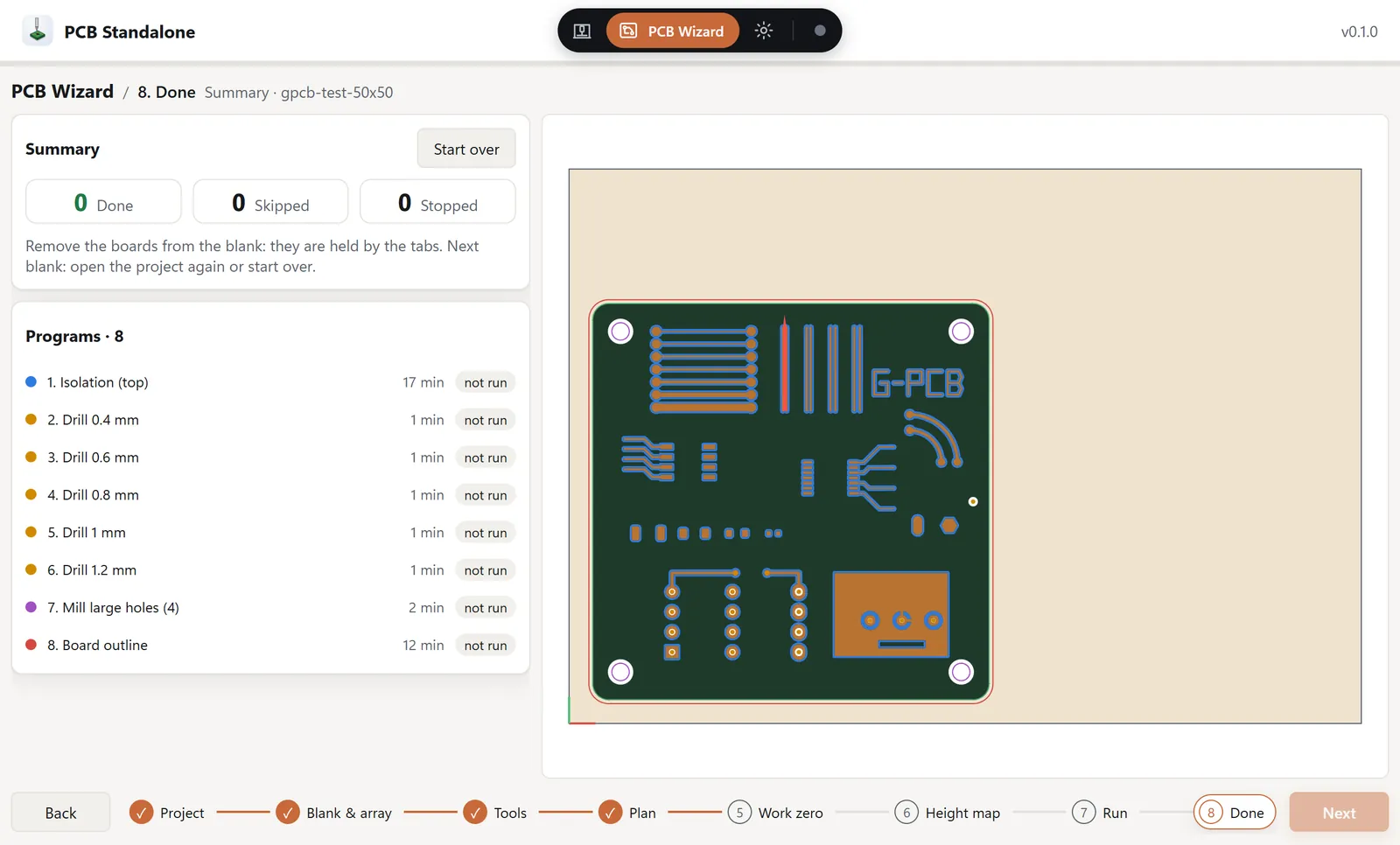
The steps run along the bottom of the window; any finished step can be opened again. The wizard state is saved to a file and restored after a restart.
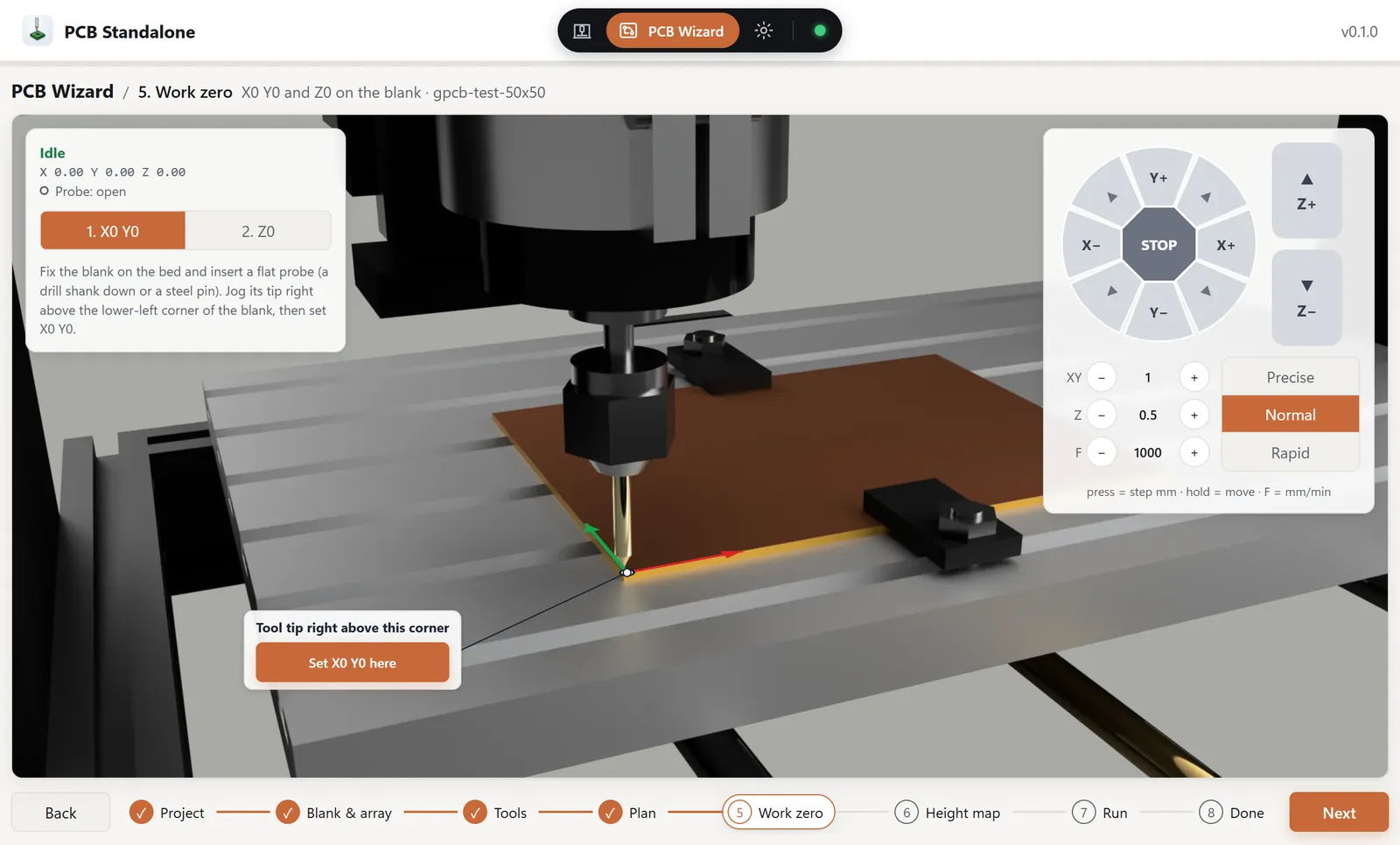
Open the Gerber files
Open a zip archive or separate files from KiCad, EasyEDA, EAGLE or another PCB editor. Copper, outline and drill layers are assigned automatically and can be changed. Choose the milled side: top copper, or bottom copper mirrored.
Place the boards on the blank
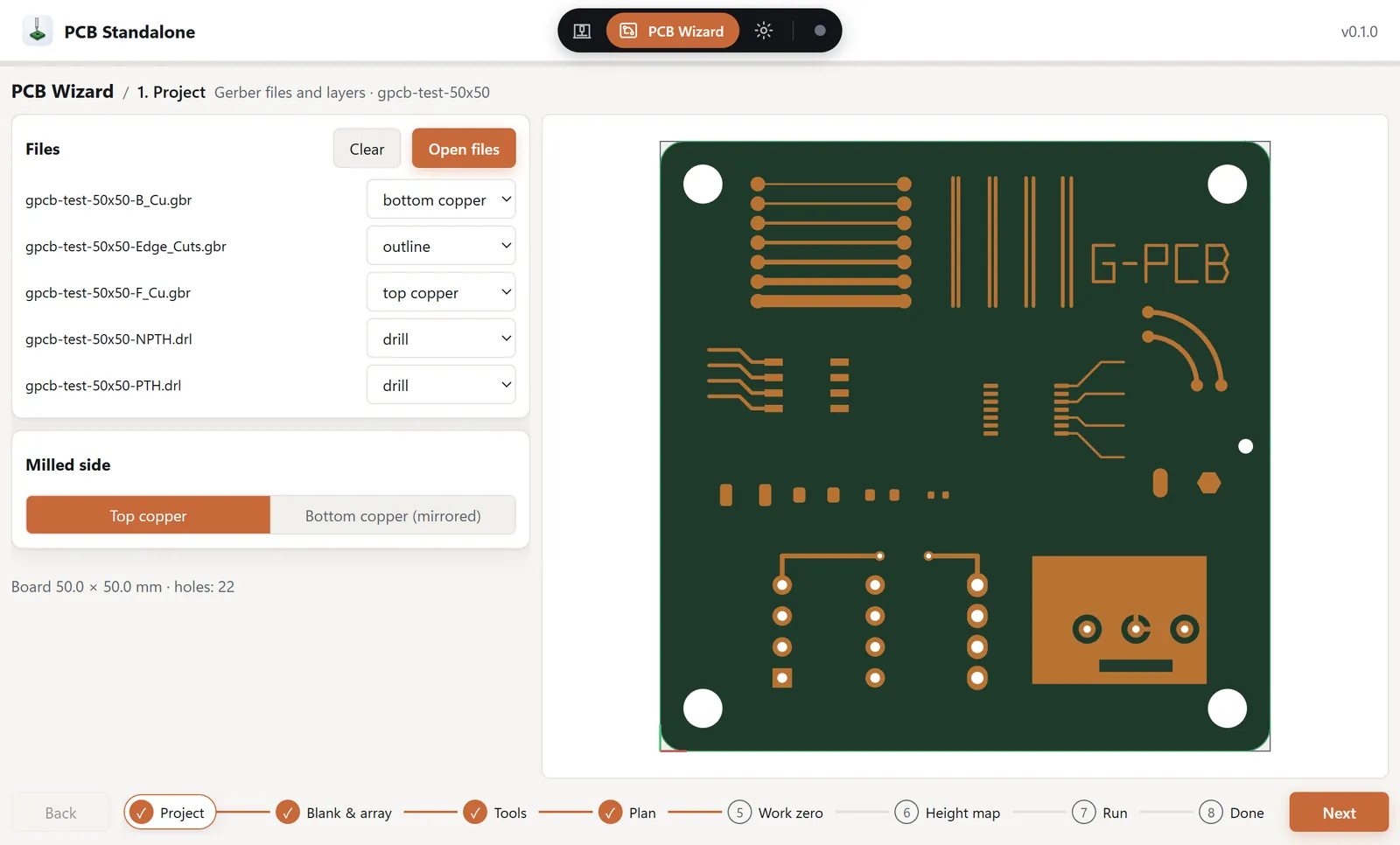
Enter the blank size on its dimension lines. The blank is shown on the machine bed at true scale with as many boards as fit, with the margin, the gap and the rotation you set.
Describe your bits
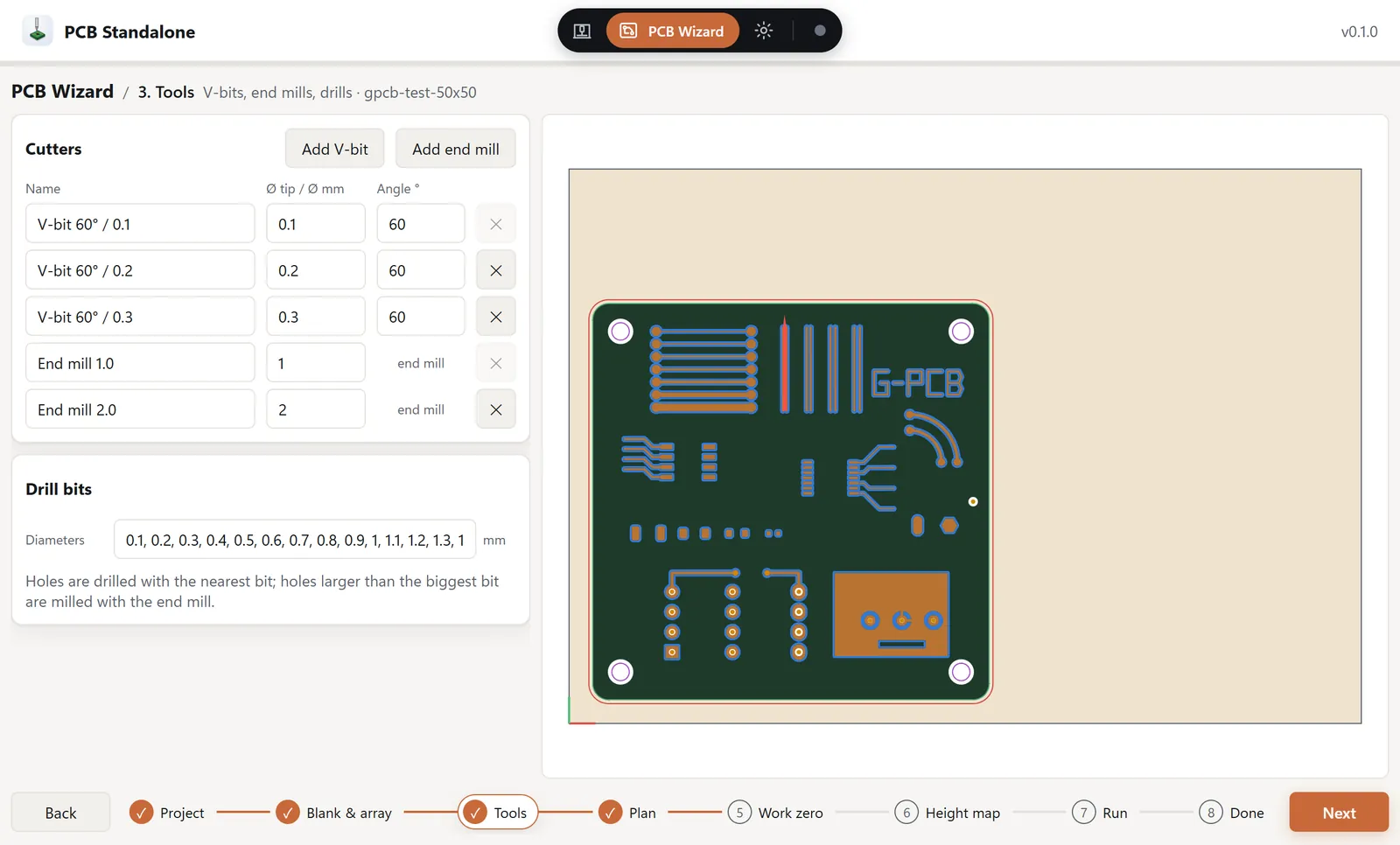
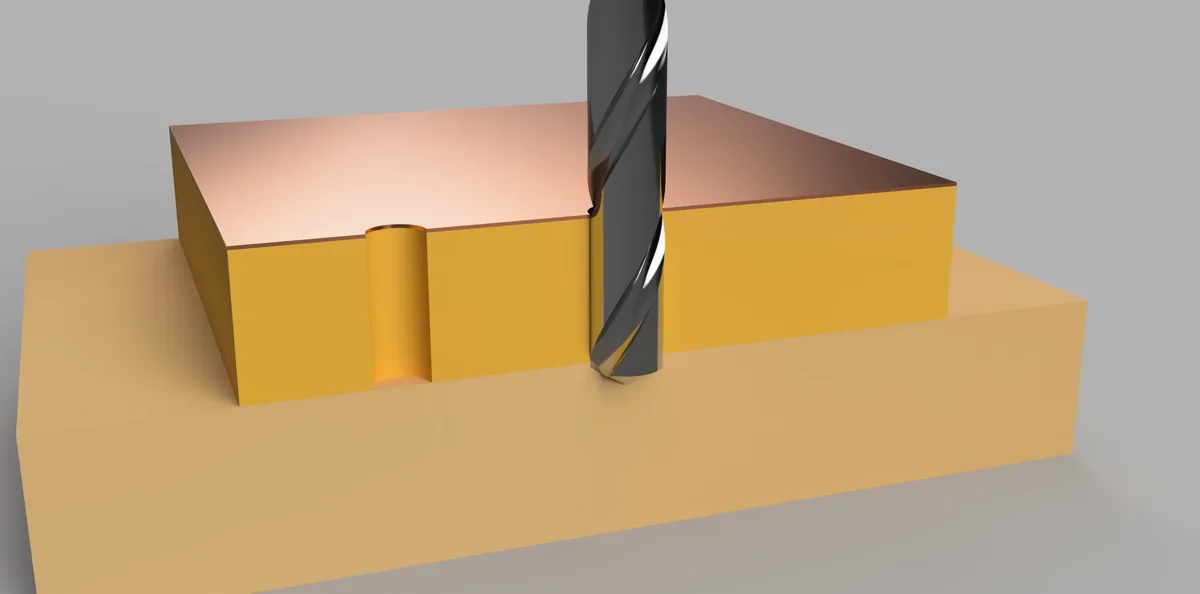
V-bits with tip diameter and angle, end mills and the set of drill diameters. Each hole is drilled with the nearest drill; holes larger than the largest drill are milled with an end mill.
Check the plan
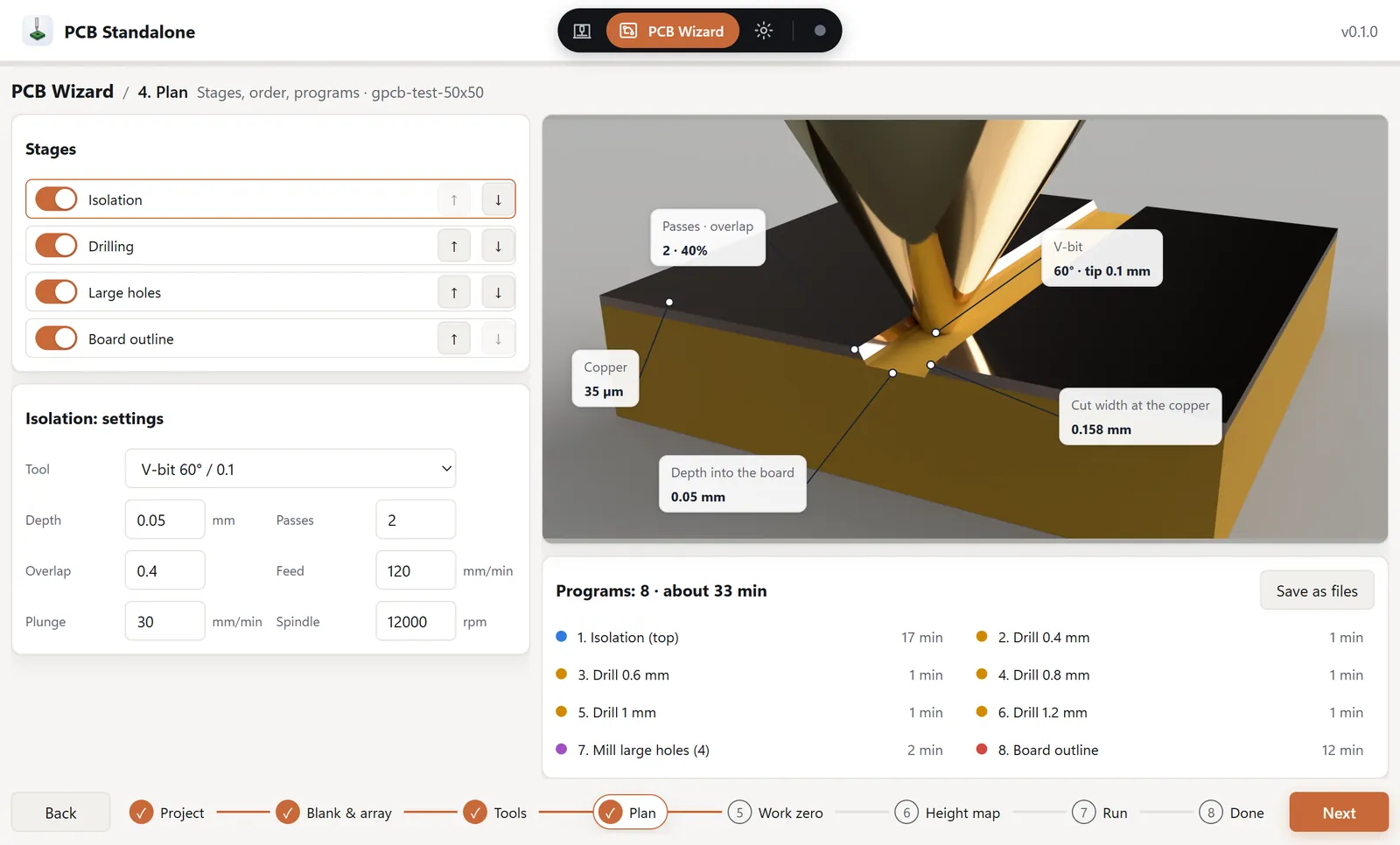
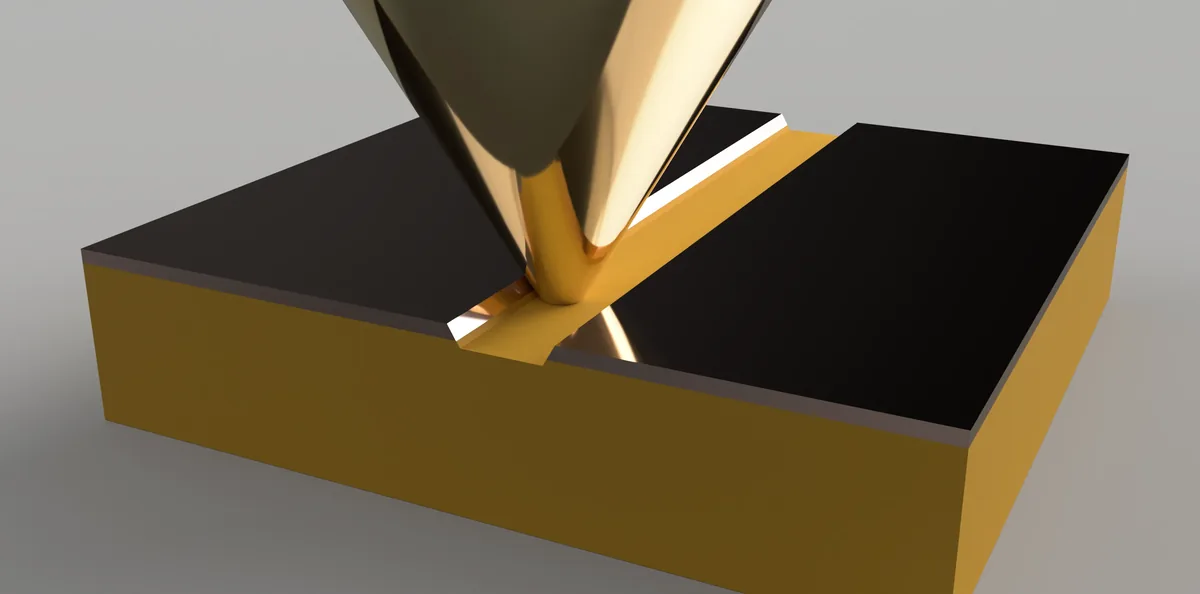
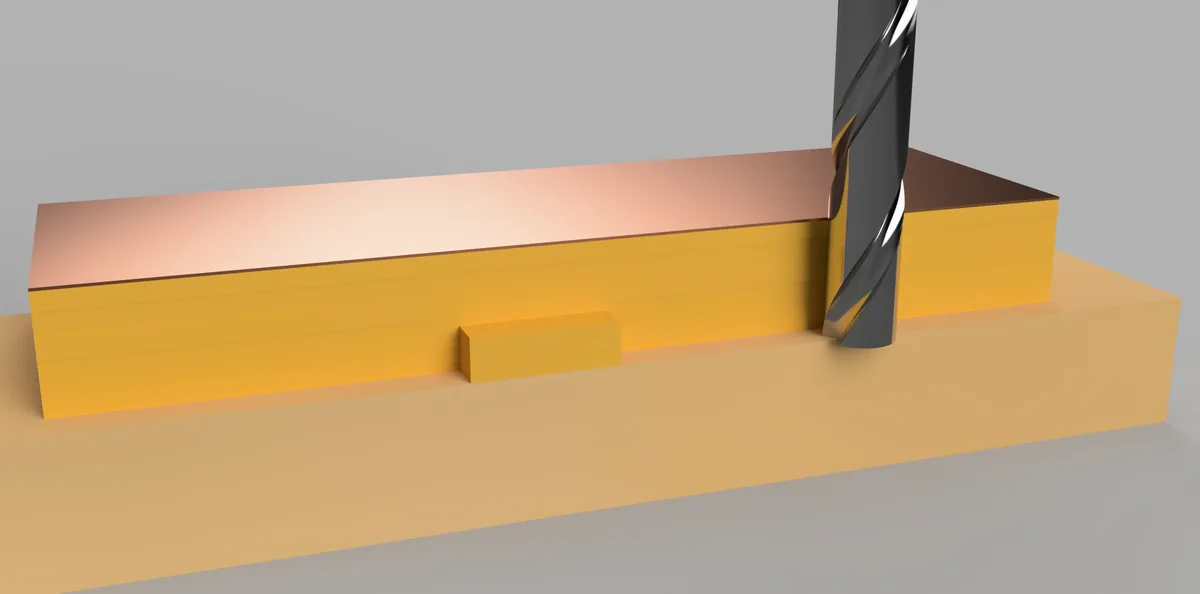
Isolation, drilling, large holes and the board outline with tabs become separate programs with time estimates. Stages can be switched off and reordered. A close-up shows the cut width at the copper for the chosen V-bit, angle and depth.
Set the work zero
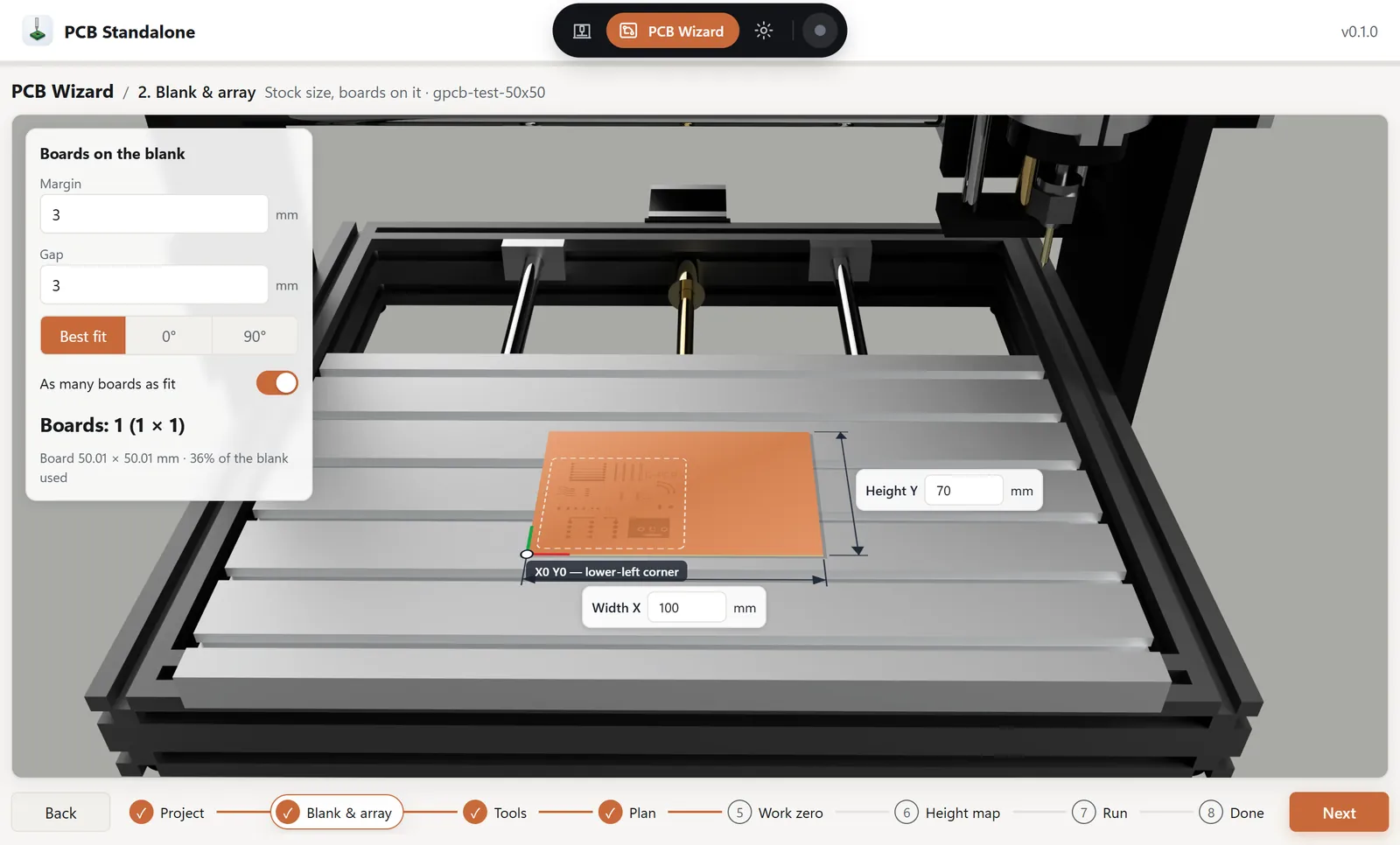
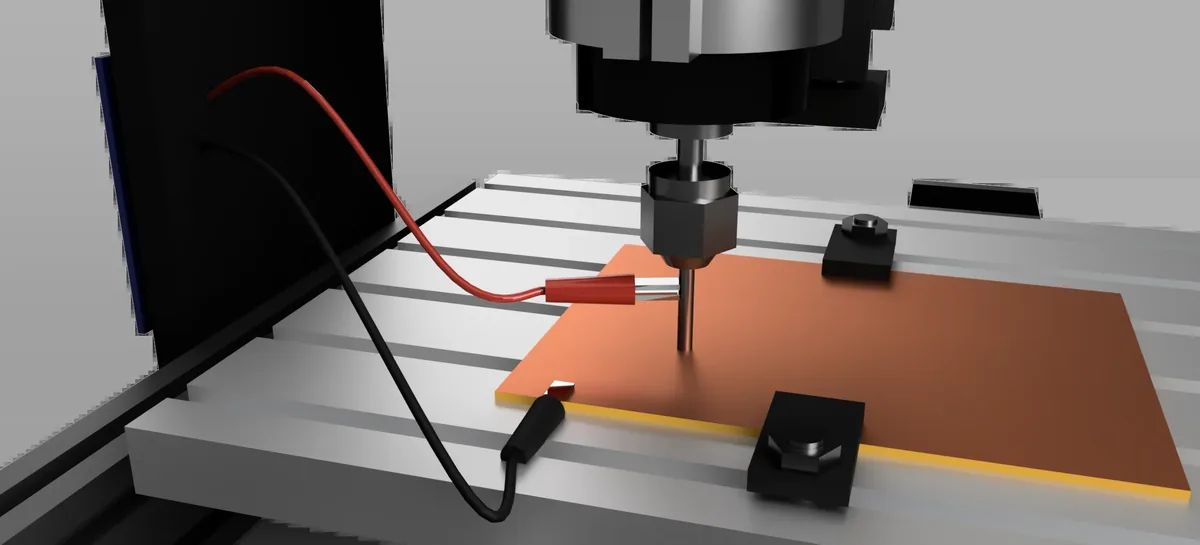
Jog the probe tip over the lower-left corner of the blank and set X0 Y0 right at the corner on the render. Then the probe sets Z0 on the copper.
Probe the height map
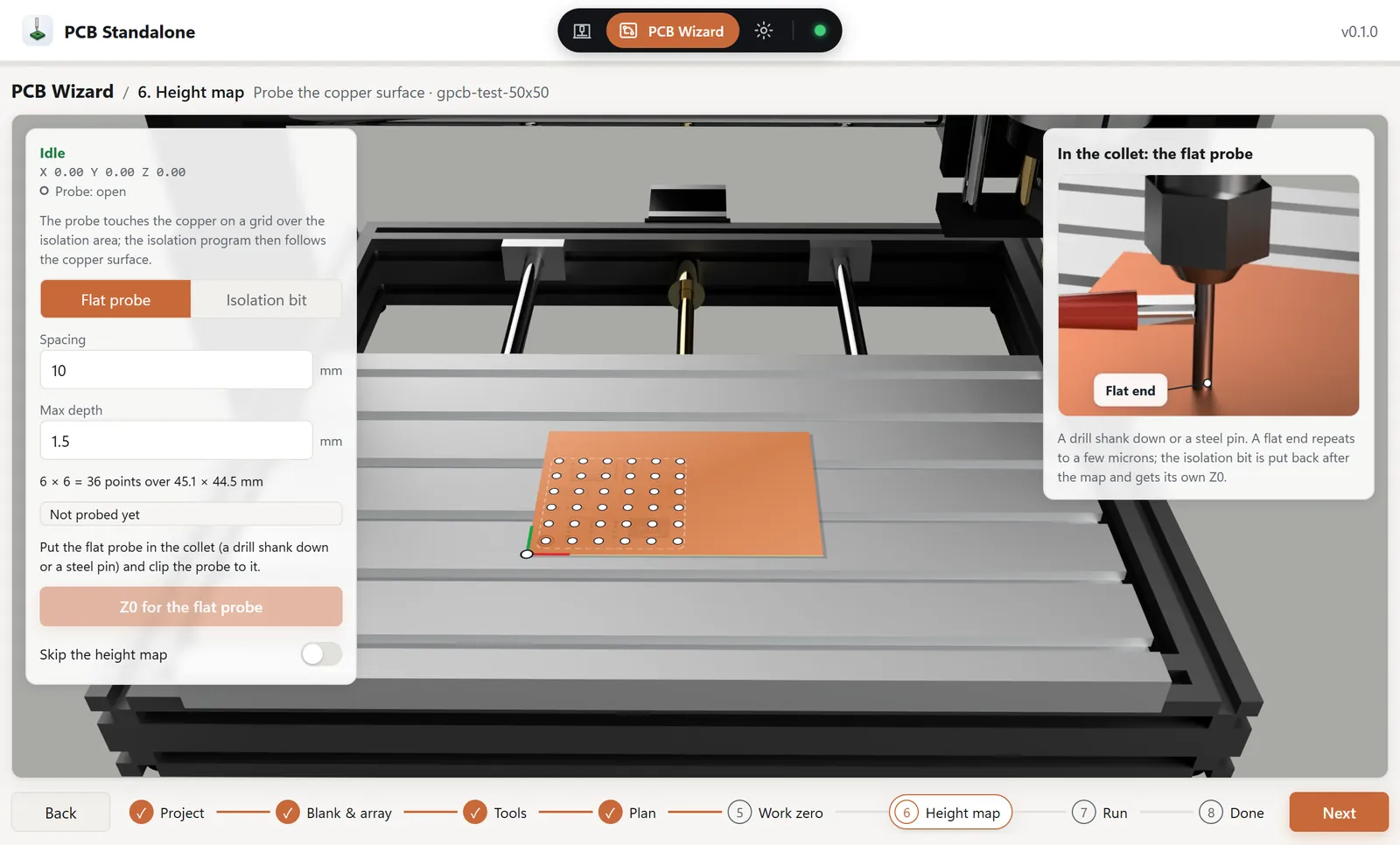
A flat probe — a drill shank down or a steel pin — touches the copper on a grid over the isolation area; it repeats to a few microns where a V-bit tip does not. The isolation program follows the measured surface, so the cut depth stays the same across the whole board.
Run program by program
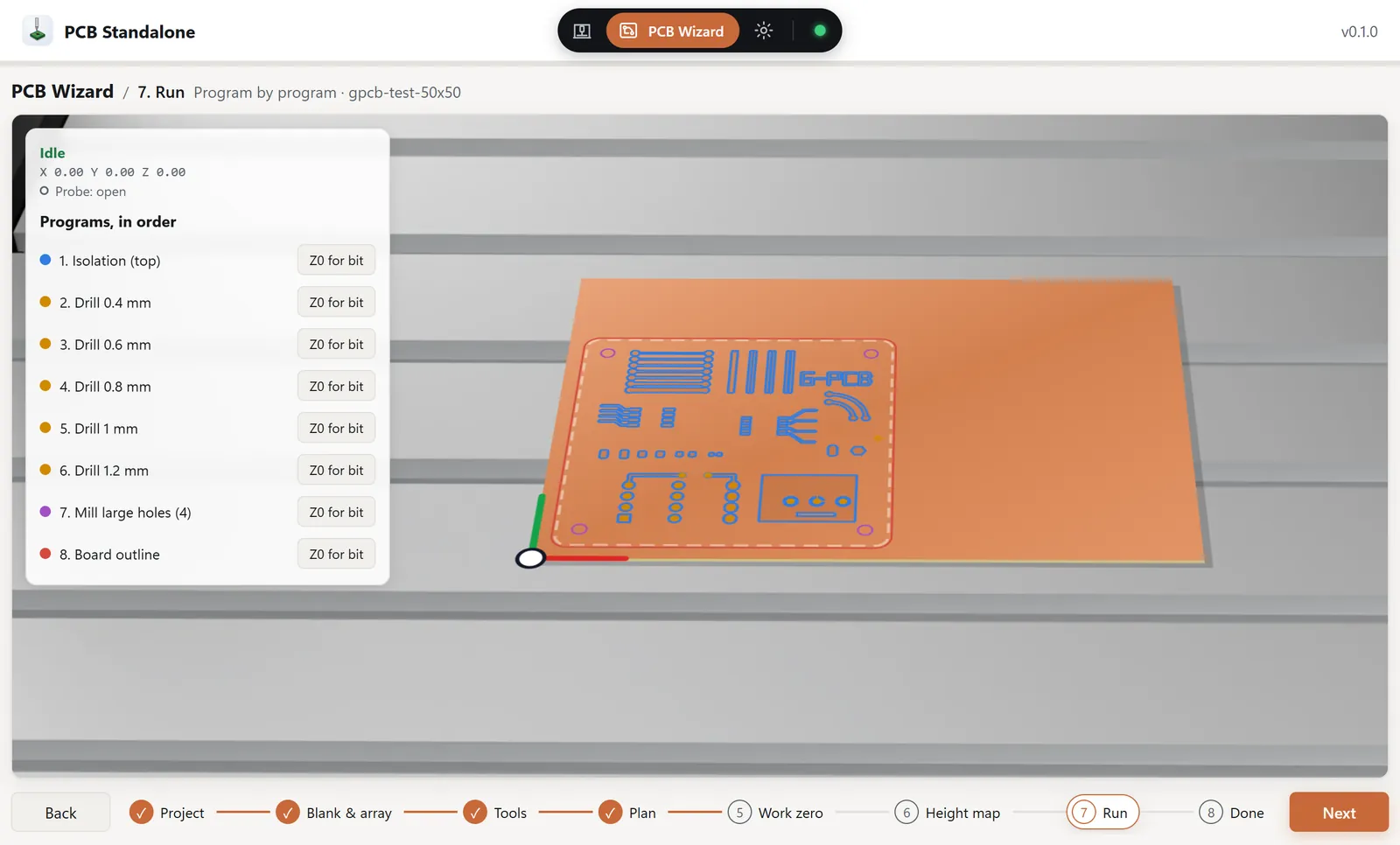
Each program asks for its bit and gets its own Z0 at the same reference point. The toolpaths are drawn on the blank, and before each bit change the spindle is raised for access.
Remove the boards
The summary shows what was done, skipped or stopped. The boards stay held by the tabs until you remove them.
Machine control written for PCB milling
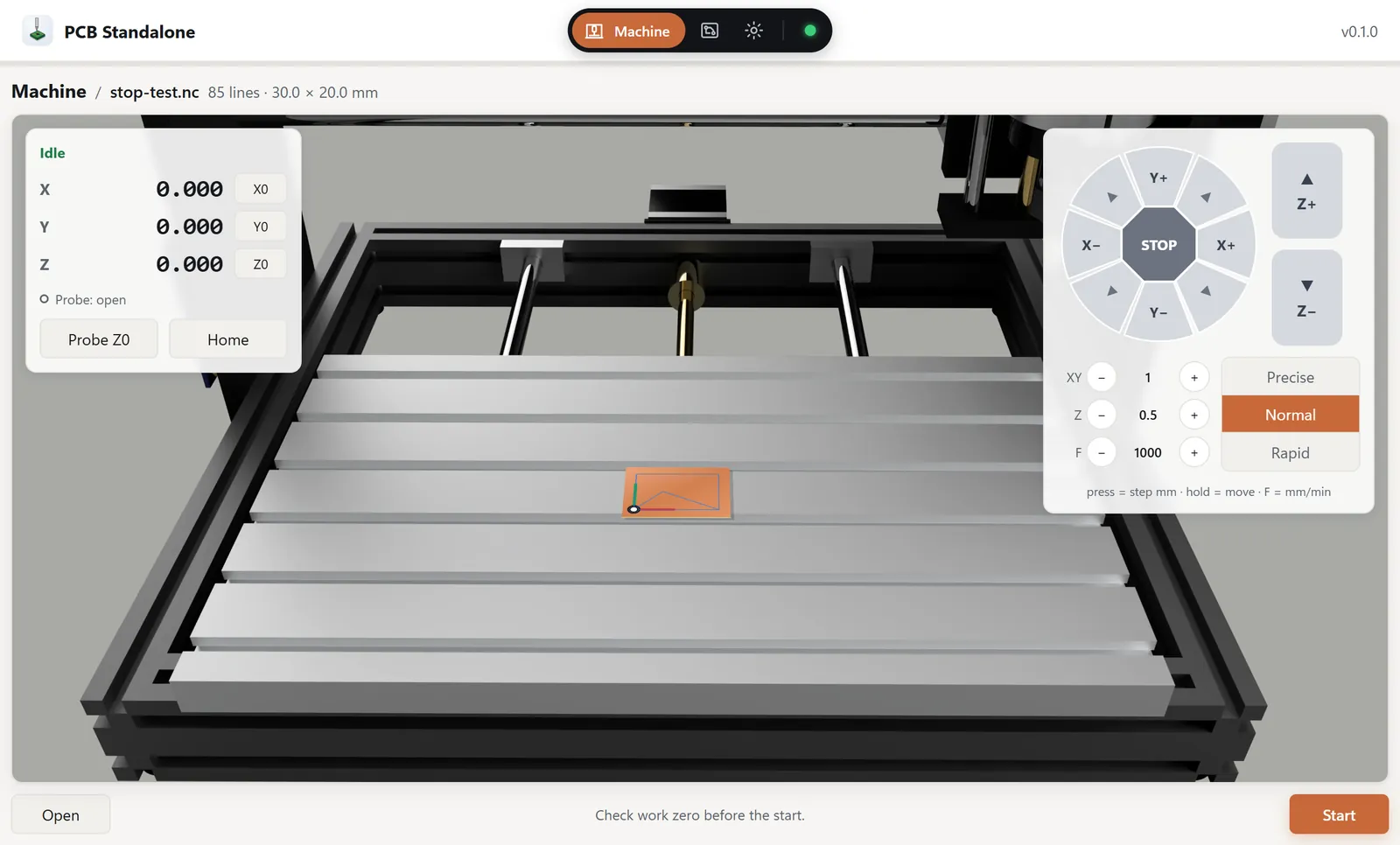
PCB Standalone does not use gSender: the connection to the controller, G-code streaming and the stops are written from scratch and tested on a grblHAL emulator and on a CNC 3018.
USB and network
GRBL 1.1 over USB, grblHAL over USB, Ethernet or Wi-Fi. Streaming counts the controller's receive buffer; a line-by-line mode is available as a fallback.
Pause and Resume
Pause is a feed hold: the machine decelerates on the path, and Resume continues from the same point. M0 in a program pauses it the same way.
Stop without losing position
Stop holds the feed first and resets the controller only after the motion has ended, so the position is kept. The bit is then lifted 5 mm.
Errors explained
An error in a program line holds the job: Resume skips the line, Stop ends the job. GRBL errors and alarms are explained in plain words.
Jogging and probing
Step and continuous jogging on a ring control, Z0 probing right on the Machine page, the GRBL console and controller settings.
Machine log
Every command and response, including Pause, Stop and errors, is written to a log file.
Rendered from the machine model
The scenes in the wizard are Fusion 360 renders of a CNC 3018 and the cutting tools, so what you see on the screen is what you do with your hands.
PCB Standalone and the free G-PCB
G-PCB stays free and fully supported, with fixes and improvements for single-sided boards. Four features of the first release are only in PCB Standalone.
| PCB Standalone | G-PCB | |
|---|---|---|
| Gerber to isolation, drilling, large holes and board outline | ✓ Yes | ✓ Yes |
| Height map and step-by-step wizard | ✓ Yes | ✓ Yes |
| Machine control | Own, for PCB milling | gSender |
| Double-sided boards with alignment by holes | First release | — No |
| macOS and Linux | First release | Windows |
| Cutting-mode library | First release | — No |
| Cloud saving of projects and machine settings | First release | — No |
| Licence | Subscription or perpetual | Free, GPL-3.0 |
Requirements
Machine and tools
- A desktop CNC with GRBL 1.1 or grblHAL: 3018, 3018 Pro, 4040 and similar
- USB connection; for grblHAL also Ethernet or Wi-Fi
- A probe: two clips wired to the controller's probe input
- A flat probe for the height map: a drill shank down or a steel pin
- A V-bit for isolation, drills for your hole sizes, a 1 mm end mill for the outline
Computer and board
- Windows 10 or 11, 64-bit; macOS and Linux with the first release
- A screen of 1280 × 720 or larger
- Gerber and Excellon drill files from any PCB editor, zipped or separate
- A single-sided copper-clad blank, FR4 or FR1
Download and licence Coming soon
PCB Standalone is in development. Downloads and payments open with the first release: a monthly or yearly subscription, or a perpetual licence. Prices will be announced at launch.
Until then, the free G-PCB for Windows is available at g-pcb.com.
Contact
Questions about PCB Standalone, beta testing or your machine — write to us on WhatsApp.
FAQ
How is PCB Standalone different from G-PCB?
G-PCB is a free wizard built into gSender. PCB Standalone is a separate program with its own machine control, and its first release adds double-sided boards, macOS and Linux, a cutting-mode library and cloud saving.
Will G-PCB stay free?
Yes. G-PCB remains free and fully supported; only the four features above are reserved for PCB Standalone.
When will it be available, and at what price?
After testing on a real CNC 3018. There will be a monthly or yearly subscription and a perpetual licence; prices will be announced at launch.
Will it work with my machine?
Any desktop CNC with GRBL 1.1 or grblHAL. The renders show a 3018, the most common desktop CNC.
Which interface languages?
English, Ukrainian, German, Chinese (Simplified) and Turkish. The program follows the system language; it can be changed in Settings.